Canada (English)
 Colombia
 Caribbean and Puerto Rico
 Ecuador
 India
 Indonesia
 Ireland
 Malaysia
 Mexico
 Panama
 Peru
 Philippines
 Singapore
 South Africa
 Sri Lanka
 Thailand
 United Kingdom
 United States

Warehouse Technologies and Considerations
Today’s distributors must remain agile. They must constantly adapt to evolving customer demands, strict vendor requirements, faster supply chains, and omnichannel sales, exchange, and returns strategies.
Managing inventory and warehouse operations is easy when you are small. However, warehouse management becomes more complex as distributors grow, adding locations, expanding facilities, entering new markets, selling to international customers, and increasing product lines.
Growing distributors and those using entry-level accounting or legacy distribution ERP systems must modernize warehouse operations to remain competitive. Failure to modernize your business opens the door to competitors to gain market share with lower prices, more extensive product offerings, and a better customer experience. In addition, digital transformation projects often warrant a business system replacement or the acquisition of expensive warehouse management software.
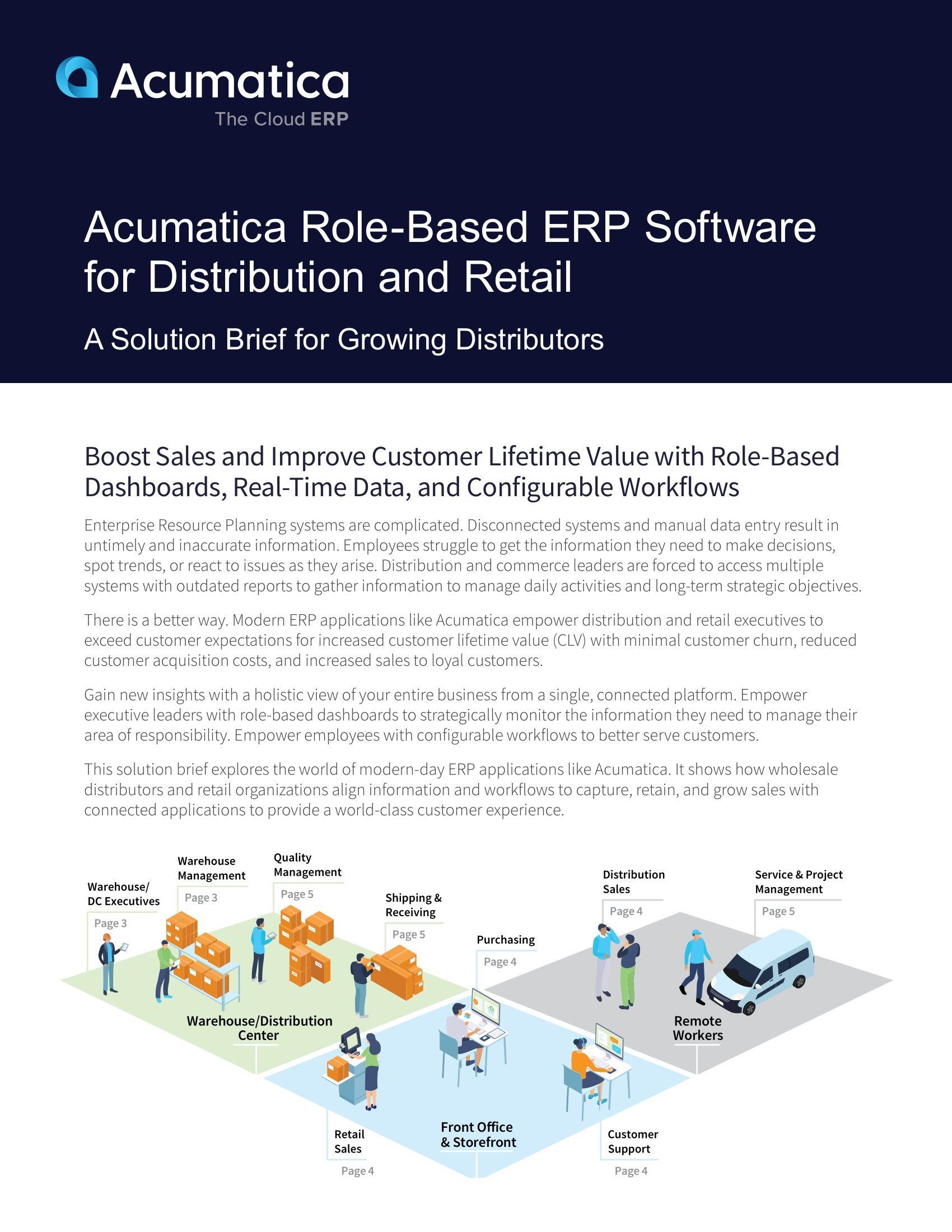
This solution brief provides wholesale distributors with an overview of warehouse management system (WMS) features and technologies. In addition, it includes warehouse management strategies and a process for executing WMS implementations to modernize warehouse and distribution center operations.
Features
Introduction to WMS Features
There are several types of features distributors need to consider when modernizing their warehouse operations. These categories include general features, inventory management, order management, automation, and compliance reporting.
“What really threw us over the top with Acumatica is that it offered a full quote-to-cash cycle and it overlaid on top of a solid accounting system.”
General Features
Today’s warehouse applications are developed using modern programming languages and database applications. You should have cloud or on-premises deployment options with low-code or no-code connectivity to external systems. Look for customizable workflows, real-time inventory updates, and flexible packaging definitions. Unit of measure conversions for sales, purchasing, and inventory are also crucial.
Order Management
Some WMS systems include order management while others integrate with the sales order module in your ERP application. Systems should support back orders, item substitutions, inventory order allocation, and drop-shipments. Flexibility is essential for pricing, promotions, and discounting. Integration with commerce and retail systems may also be required.
Automation
Modern warehouses automate processes using bar code scanners and RFID. Other automation technologies include labeling, automated replenishment, carousel and robotics integration, EDI, and scale integration.
Compliance & Reporting
Do not neglect compliance reporting. Look at industry and customer labeling requirements, quality assurance, lot and serial tracking, inventory valuation, and industry regulations.
Inventory Management
Robust inventory management provides flexibility for warehouse configuration by location with bins, containers, and slotting requirements. Matrix items simplify product management using item attributes with tools to expedite purchasing and sales for like items. Physical inventory cycle counting ensures inventory accuracy with ABC rank codes to optimize warehouse layouts.
Inventory receipts should support preferred item stocking locations with multi-step transfers to track in-transit shipments between facilities. Perishable goods distributors need systems to manage lots and stock rotation. Picking should support multiple methods such as batch, wave, and zone picking with first-expired-first-out (FEFO) picking by expiration date. Look for systems that support flexible packing options including various packaging definitions and carton management.
The shipping process should be completely integrated with sales order and inventory management. Consider systems that natively support small parcel, less than truckload (LTL), or truckload (TL) carriers. You may also require route and delivery management if you own your own fleet and manage direct shipments to customers.
Consider features for inventory replenishment using demand forecasts, kitting and disassembly, and availability of connected applications for quality management, container management, and consigned inventory.
Technologies
Warehouse Technologies
Warehouse data entry is time-consuming and prone to data entry errors. Paper-based documents contain information that must be captured quickly as electronic documents or data via optical character recognition (OCR). ERP system limitations may require purchasing and integrating advanced warehouse management systems (WMS).
“If the warehouse has low inventory for an item, it is immediately exposed to purchasing to place the order for more. We now have real-time visibility to pertinent data.”
Barcodes and RFID Tags
Even the smallest distributors have tethered barcode readers and the ability to print barcodes. Barcodes should support the standard GS1 Global Trade Item Number barcode format. RFID tags provide the same automated data capture features as barcodes with zero human intervention. Barcoding is affordable and often supported in ERP applications. RFID is more complex with a longer-term payback.
Voice Recognition
Voice-recognition and voice directed warehousing (VDW) is complex to setup, but it offers many advantages including hands-free, directed picking and put-away. It can also be used for most inventory transactions including packing, shipping, and physical inventory counts. VDW is compatible with modern wearable technologies
ERP Software
Some ERP systems provide light WMS features such as automated inventory replenishment. Barcode scans automate the put-away, picking, transfer, movement, packing, and shipment transactions from a single scan.
Robotics and Carousels
Robotics allow distributors to automate inventory and warehouse activities. Storage carousel systems save time and reduce picking errors. Items are automatically picked, sorted, and delivered for additional operations such as packing and shipping.
Paper and OCR Scanning
Paper-based data capture still has a place in many warehouses. It is useful to fill procedural gaps that are difficult to automate. Further, they provide a physical record of transactions and information that back-up digital versions of the data. However, they are not real-time, and they are prone to data entry errors. OCR Scanning is used for scanning information from inbound vendor documents such as bills of lading and packing slips. OCR document capture is compatible with most ERP systems.
Artificial Intelligence (AI/ML)
Artificial Intelligence (AI) and Machine Learning (ML) improve warehouse processes. AI for example can compare manually entered quantities from receipts against the originating purchase order to validate that the quantities are the same. Machine learning can determine the oldest product lot to pick for an order based on expiration dates. It can also be used to determine which shipping carrier to use for a customer order based on rates and lead times.
WMS Systems
Warehouse Management Systems combine multiple technologies into a single platform. These technologies often include barcoding, RFID, voice, and connectivity with robotics and carousels. WMS provides features not common in midmarket ERP applications such as cross-docking, license plating, integration with third party logistics (3PL), route optimization, and more. WMS can be expensive with significant costs for consulting services.
Strategy
Steps to WMS Success
Modernizing warehouse operations is challenging without a comprehensive plan. You have technologies in place but are they the right ones? You have implemented features in your ERP system, but are they set up correctly? Set a solid foundation by researching options, prioritizing activities, and developing a detailed plan.
“With Acumatica, MiiR has given the sales team the confidence that the information in Acumatica is accurate, so they spend less time worrying about inventory levels and spend more time reaching out to customers.”
Step 1: Foundation
Modernizing warehouse operations is easier when you build on a modern ERP system. Improvement projects will be challenging if you use basic accounting or older ERP systems with few integration options and limited warehouse management features. Carefully assess your existing applications. Do they provide a modern platform with an open architecture to connect to modern technologies? Are there modules available to improve operations? Consider upgrading or replacing your current ERP software before any modernization project. You may be surprised to find that new versions provide features to improve processes. Conversely, you may discover better options.
Step 2: Research
It is critical to research and document warehouse technologies to prioritize modernization activities. Conduct a detailed warehouse assessment to identify functional gaps. Document warehouse capabilities in your current or potential replacement ERP system. How are these capabilities utilized in the system today? Can they be improved, or should they be replaced? Contact your ERP partner to learn more about available modules, features, or third-party applications to improve operations.
Step 3: Prioritize
Review functional gaps and rank each one based on cost and potential benefit. Look for ways to get more out of your current applications first. For example, it is easier and less expensive to implement barcoding throughout your warehouse than to replace everything with RFID. Further, many advanced features can push you into expensive WMS systems. Finally, review previously completed modernization projects. Often, you can find ways to improve processes by tweaking setup or configurations.
Step 4: Develop a Plan
Define the desired goal, supporting technologies, and a timeline and implementation process. It is vital to outline expected results clearly. Document the current state as a benchmark to measure your success. Define technologies, integration points with other systems, and contacts for assistance. Develop detailed phases and timeframes to complete each step in the process with a contingency plan if you run into conflicts that prevent the completion of the project.
Execution
Creating a Modern Warehouse
It is time to execute the modernization project once you have defined your plan. Remember that you do not have to automate everything at one time. Execution covers four phases: preparation, go-live, review, and continuous improvement. Each phase is essential for the successful roll-out of new warehouse strategies.
“The biggest time savings for us is not having to go out and wander through our yards of product to see what we’ve actually got on hand. Having a live inventory of what we have across seven different locations has been a huge time savings for people.”
Phase One: Preparation
The time it takes to prepare will depend on the project’s complexity, including the technologies used and the scope of changes to systems and processes. Preparation should start well in advance of your desired go-live date. It should include a project plan review with project owners, internal staff, users, technology providers, and consultants. Notify participants of timelines and their roles and responsibilities. A conference room pilot (CRP) improves success rates dramatically.
Phase Two: Go-Live Day
Successful go-live events are well-organized. Identify one person as the project lead. The project lead orchestrates each step in the project, delegates tasks, and guides each step in the process. Document last-minute changes and ideas for future review.
Phase Three: Review
It will take time for things to settle into place after completing the project. Therefore, give users time to adapt to new processes while collecting data. Review the go-live notes for last-minute changes to the project plan. Identify if there are any follow-up activities to fine-tune the process. Talk to users about new processes and technologies. What do they like? What do they dislike? You will find that users have some of the best ideas if you take the time to ask them. Review the early results. Were you able to meet or exceed your goals? If not, why? What can you do to improve the process?
Phase Four: Continuous Improvement
Application upgrades and other issues impact the original project. Stay current on the latest updates of your ERP software and connected technologies. Set up a sandbox for testing upgrades. Review product road maps and understand technology lifecycles. Look for ways to use existing features and technologies to improve processes and automation further. Investigate new ways to extend your modernization projects to other transactions or business processes. Take on more complex projects and consider more advanced technologies down the road.
Modern Warehouse Management with Acumatica Distribution Edition
A modern warehouse is crucial for wholesale distributors to thrive in today’s digital economy. Unfortunately, entry-level business applications and legacy ERP software pose barriers to modernization projects forcing many distributors to invest in costly customizations or complex and expensive warehouse management systems.
Distributors need to understand inventory and warehouse technologies to improve and automate business processes. They must understand how to effectively harmonize ERP and WMS systems and features for inventory management, order processing, inventory transactions, warehouse automation, and compliance reporting.
A disciplined strategy is essential for warehouse modernization success. Technology, modern applications, and professional guidance empower distributors with a solid foundation, new insights, and clear priorities for modernization plans. In addition, a four-phased execution approach ensures that distributors are prepared for implementations with continuous review and process improvement.
Acumatica Distribution Edition provides a modern platform for wholesalers to modernize warehouse operations with tools to manage projects, support cases, and installations or upgrades. Acumatica Distribution Edition delivers unparalleled value to small and midmarket distributors through leading-edge cloud technology. Integrated workflows span the full suite of business management applications with native warehouse management and barcoding features.
“We’re seeing tangible and intangible results. Tangibly, we’re seeing better inventory control. That obviously goes straight to the bottom line. Intangibly we have an up-tick in customer satisfaction. We can get answers much faster than we were ever able to get in our previous system.”